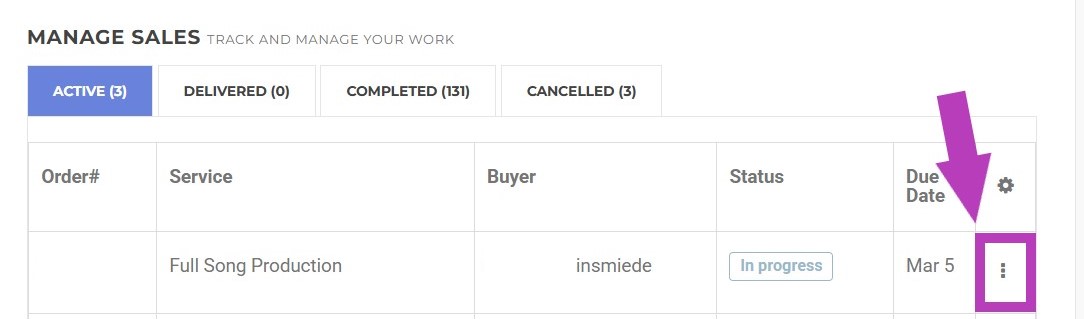

Once an order has been placed, both Buyers and Sellers have the ability to rename their orders or projects within their AirGigs account. This can be especially helpful over time, as it allows you to organize your projects and quickly locate a specific order when needed.
Buyers
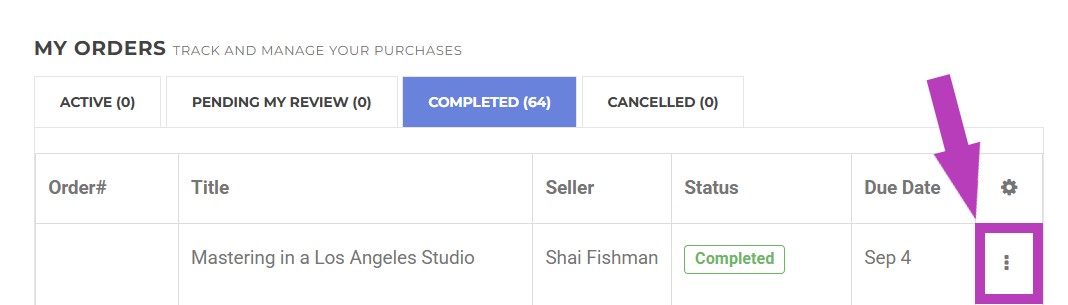
To rename an order, simply log into your AirGigs account, click on the main menu in the top right-hand corner, followed by Buyer and then My Orders.
You will see a list of current orders (to see completed orders, click on the Completed tab).
At the end of each order, you will see 3 dots stacked on top of each other. If you click on these three dots, the option to rename a project will appear:
Seller
To rename an order, simply log into your AirGigs account, click on the main menu in the top right-hand corner, followed by Seller and then Manage Sales.
You will see a list of current orders (to see completed orders, click on the Completed tab).
At the end of each order, you will see 3 dots stacked on top of each other. If you click on these three dots, the option to rename a project will appear: